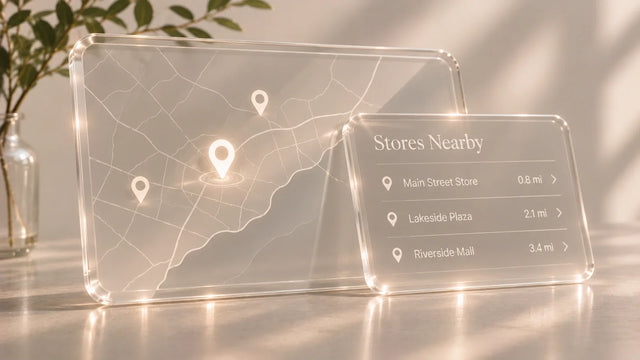
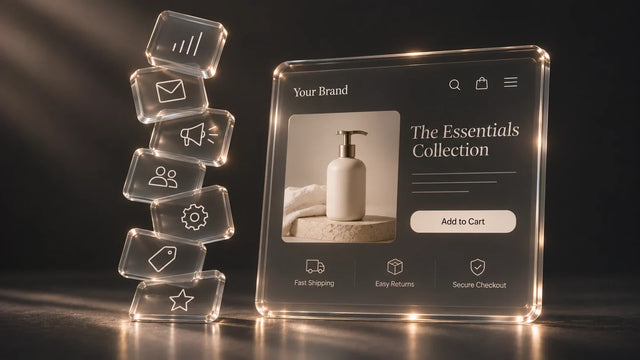
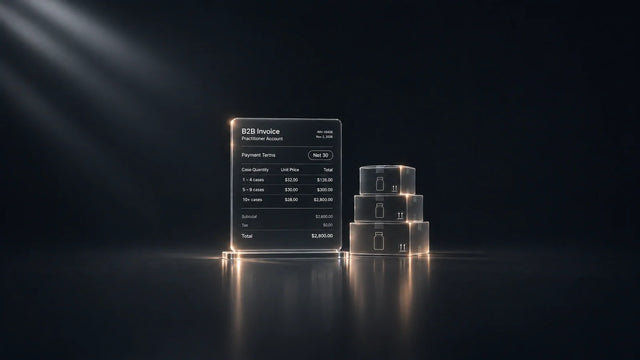
The Shopify post-purchase experience is three pages and an inbox. The Thank you page shows once, before the order record exists. The Order status page is the one customers return to from the confirmation email, and it now lives inside customer accounts. Between payment and the Thank you page sits an optional post-purchase offer page that one app controls. All three are customized with extensions: checkout.liquid and additional scripts were sunset for these pages on August 28, 2025, and script tags stopped running on the Order status page for non-Plus stores on August 26, 2026. The extensions run on every plan except Starter. Anything that depends on time (education, cross-sell, the review ask, replenishment) moves to Klaviyo. Inside the 30-day storefront Sprint, the pages are part of the scope, and the flows are a one-time $5,000 add-on.
We're a Shopify / Shopify Plus design + development studio. The research pillar puts the stakes plainly: silence between purchases erodes goodwill, and slow or unclear delivery is one of the fastest ways to lose someone who just paid you. The pages and flows below are the fix for both.
What can the Thank you page and the Order status page show?
They look alike and behave differently. The Thank you page is the purchase confirmation displayed once after checkout completes. At that moment the order isn't created yet: Shopify exposes the order id and confirmation number, and anything you show is built from checkout state, not the finished order.
If the customer refreshes, or clicks the link in the order confirmation email, they land on the Order status page. The order exists, so the page shows tracking, fulfillment updates and order actions like a return request. Shopify's docs name the confirmation email link as the usual route in. That link opens a pre-authenticated view of the one order, with no login, for about three weeks in the same browser; any further action asks for a one-time code, and a signed-in session then persists for up to 365 days.
What do extensions add, and what replaced additional scripts?
Blocks of your own UI, placed in the checkout and accounts editor, on Basic, Grow, Advanced and Plus. Shopify's listed uses: surveys on the Thank you page, review forms and upsell offers through order editing on the Order status page, social sharing and download links on both. The Thank you header target adds loyalty enrollment ("you earned 240 points"), a referral link, delivery estimates and an app install prompt.
There are two limits. Extensions here can't mutate the order; they can call your server with fetch, but adding to a paid order happens through order editing or the post-purchase page below. And Order status extensions render only on the current version of that page: Shopify's deprecation guide says customer account UI extensions work "only on upgraded stores," and the check is whether Settings, Checkout, Configurations shows the Thank you and Order status upgrade complete. Legacy customer accounts were deprecated on February 26, 2026 and don't support customer account UI extensions; Shopify's docs don't say what a legacy-accounts store sees on the Order status page itself, so test it on your store before you plan around it.
The scripts timeline is all in the past now. As of August 28, 2025 the additional scripts box in Checkout settings is view-only, and checkout.liquid was sunset for these pages the same day. Apps haven't been able to create Order status script tags since February 1, 2025; the tags stopped running on Plus stores on August 28, 2025 and on every other store on August 26, 2026. Tracking became a web pixel, which runs anywhere but can't render UI. Visual work became an extension. The upgrade guide under Settings, Checkout, Configurations lists which installed apps "require update by app developer"; a store that skipped it has shown Shopify's default Order status page since August, and those apps come first.
For content without code, Shopify's own Checkout Blocks app is free and lets you "customize your thank you and order status pages, without code." For logic (a survey writing to your warehouse, a points balance from a ledger), it's an extension in an app, yours or a vendor's. Where that points balance comes from is covered in our loyalty piece.
How does the post-purchase upsell page work on Shopify?
One page, shown after payment is confirmed and before the Thank you page, where the customer adds to the order without re-entering a card. Merchants pick one active post-purchase app in checkout settings. App Store apps with the extension install on any plan except Starter; a custom app with one installs only on Plus. As of November 2026 the extension is still marked beta on shopify.dev, and developers request access before it runs on a live store.
The conditions decide whether to build around it. The page won't show when the customer paid with an installment or wallet service (Shopify names Klarna, Affirm, Afterpay, Apple Pay, Amazon Pay and Google Pay), with a gift card, or with anything other than a credit card, and it isn't supported on gateways that retain the card CVV (Shopify names Braintree, Payflow Pro, PayPal Payments Pro and Eway). The list doesn't name Shop Pay or standard PayPal either way, so place a test order through each before you count on the reach. It won't show on orders with duties and multiple currencies, on local delivery, or from any channel but the Online Store. A customer can accept at most three offers per checkout. Third-party pixels report only the initial purchase, so the upsell revenue is invisible to Meta and GA4 unless your attribution tool reads Shopify orders directly. For a brand with 40% of checkouts on the listed wallets, the page reaches the other 60%.
That's still revenue with no acquisition cost on it: a one-click add to a $45 order. It shouldn't be the whole plan. Checkout work before the payment step is a Plus conversation and a separate scope.
What moves to email and SMS?
Anything that depends on timing. Shopify already sends the transactional set: order confirmation, shipping confirmation, shipping updates, out for delivery and delivered when the carrier reports them. Order confirmation can't be switched off. Shipping confirmation and shipping update can be deactivated as you fulfill, and Out for delivery and Delivered have toggles under Settings, Notifications, in the Shipping updated section. Klaviyo is the layer on top, triggered by the Shopify order event, and it should never repeat a notification Shopify sent.
Four flows. Post-purchase education: day 0 to day 3, how to use the product and what to expect the first week, split by first order versus repeat so a fourth-time buyer isn't told how to open the box. Cross-sell: after delivery, the product bought next by customers who bought this one; Klaviyo's post-purchase template already splits on order count. Review request: triggered on Klaviyo's Delivered Shipment metric, which the Shopify integration syncs when Shopify receives the carrier's delivery event, never before, and once. Replenishment: for consumables, a date-property flow on Expected Date of Next Order, with the reorder link going to a pre-filled cart. That property populates only after Klaviyo's published minimums (at least 500 customers with orders, 180 days of order history, orders in the last 30 days), so a new store runs replenishment off Placed Order with a fixed delay per SKU, which Klaviyo itself recommends for products with distinct cycles.
Parkside's email program (welcome, abandoned checkout, post-purchase, subscription reminders, winback) was built before the site existed, so the first order ever placed had a follow-up waiting. Hero shows what the channel carries: as the case study reports, email accounted for approximately 42% of Hero's total sales. The flow list is on our email page; vendors are compared in best email marketing for Shopify.
What should post-purchase look like for a subscription order?
The Thank you page says what happens next and the Order status page links to the portal. Shopify Subscriptions shows subscription details on the product, cart and thank-you pages, and lets the customer resume, skip or cancel and manage payment and address from the account. So the first subscription order's Thank you page has one job: renewal date, price, where to change it.
The flow that follows is the upcoming-order reminder, 3 to 5 days before the charge, with skip and swap as the primary actions and cancel as a text link. Check what your subscription app already sends before the charge so Klaviyo doesn't send it twice. The portal design is in our subscription portal UX piece, the mechanics in how Shopify subscriptions work.
App or custom extension: which is right?
| What you need after checkout | Native or editor (plan) | App | Custom extension |
|---|---|---|---|
| Order tracking, delivery updates, return request | Order status page in customer accounts, all plans. Shipping notifications are automatic. | Branded tracking pages only. | Rarely; the native page already shows tracking and returns. |
| Static content blocks (care instructions, what happens next, social links) | Checkout Blocks, free, from Shopify. Extensions on these pages run on all plans except Starter. | Not needed. | Not needed. |
| Post-checkout survey | No native survey. | Yes, for the dashboard and attribution math. | A Thank you block posting to your warehouse: small build. |
| One-click upsell after payment | Post-purchase page exists; one app controls it. Credit card orders only. | Yes on any plan except Starter. | Custom post-purchase app: Plus only, access requested. |
| Points balance, referral link, member status | Store credit balance shows in account details and at checkout. Nothing native shows a points balance. | Your loyalty vendor's extension, if it ships one. | Yes, reading your ledger: no vendor script, data in your own metafields. |
| Reorder and subscription management | Customer accounts: order history, Buy again, Shopify Subscriptions portal. All plans. | The subscription app's portal if not on Shopify Subscriptions. | Account extensions for a branded reorder flow. |
| Education, cross-sell, review request, replenishment | Shopify's notifications are transactional only. | Klaviyo flows. This is the app. | Not a storefront job. |
When is a custom post-purchase build the right call, and when isn't it?
Right when the pages need your data: a loyalty ledger, a next-order date from a non-Shopify subscription app, a survey feeding your own attribution. Right on Plus when the offer logic (which product, what price, which cohort) is yours and no vendor expresses it. Right when the store has 20+ apps and three exist only to put a block on the Thank you page. Our piece on features that don't need an app has the audit method.
Wrong under about 500 orders a month, where Checkout Blocks plus Klaviyo covers the pages. Wrong while the store hasn't completed the Thank you and Order status upgrade, because extensions render only on upgraded stores. And wrong if the flows aren't built: a Thank you block is seen once, the post-purchase sequence four times, so the flows come before the block. Whether any of it worked shows in month 1 of the cohort grid, which our retention measurement piece reads step by step.
What does the post-purchase build cost with Liquid Lemon?
Inside a Sprint, it's scope. The 30-day storefront Sprint is a flat $9,500 for new brands and $12,500 for established brands, and it includes the Thank you and Order status page configuration in the checkout and accounts editor. Klaviyo email design and flows are a one-time $5,000 add-on to a Sprint, or $7,500 on their own. Added to a Sprint, the four sequences above ship with the store. Parkside's program was built that way, pre-launch, alongside the storefront.
A custom extension that reads your own data, a post-purchase offer app on Plus, or the rebuild of a store whose Order status customizations stopped rendering when scripts were cut is scoped and quoted up front as a fixed figure. There's no universal price for "customize the Thank you page"; it depends on what has to be read and from where. Running the flows after launch is the Klaviyo line of the growth retainer at $5,000 a month, on the growth page. What the first 90 days after launch should cover is its own piece.
To get a fixed number, send four things through contact: store URL and Shopify plan, whether Settings, Checkout, Configurations shows the upgrade notice, your customer accounts version, and your Klaviyo flow list with the trigger for each. We'll mark what's native, what's an extension and what belongs in a flow, and come back with a figure. Pre-launch, Start Your Sprint, and the flows are live before the first order is.
Written by Andrew Zam, co-founder of Liquid Lemon, a Shopify / Shopify Plus design + development studio for DTC brands.